
Drill down to the detail: file by file, folder by folder.
When the big picture is not enough, Explorer Plus lets you browse the project and analyze exactly the part you care about, with AI-built context and search by meaning, not just by text.
- Interactive directory tree
- AI-guided context
- Semantic search
- Proactive suggestions
The global analysis does not answer the specific question.
Explorer Plus brings you closer to the code: you choose what to look at and the AI builds the necessary context, backed by the real code.
Too much information
A report on the whole system overwhelms you when you only need to understand one module.
Text search is not enough
Literal searches find what the code says, not what it does.
Answers without support
An AI that answers without showing where the information comes from does not earn trust.
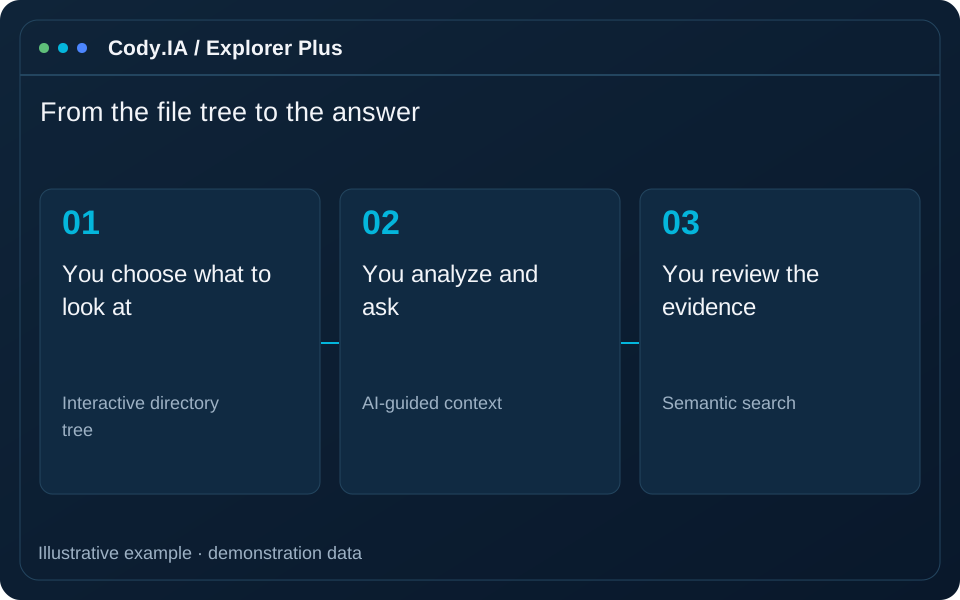
From the file tree to the answer
-
1
You choose what to look at
Browse the project tree and select a file or a whole folder.
-
2
The AI builds the context
It gathers the relevant code and its relationships to analyze exactly that part.
-
3
You analyze and ask
Get the analysis and ask follow-ups; semantic search finds related code by meaning.
-
4
You review the evidence
Each answer shows what it relies on, with support metrics so you know how much to trust it.
Define a focused question and project context. Use the analysis to support investigation and code review, with team validation before applying changes.
Analysis on your terms
Interactive tree
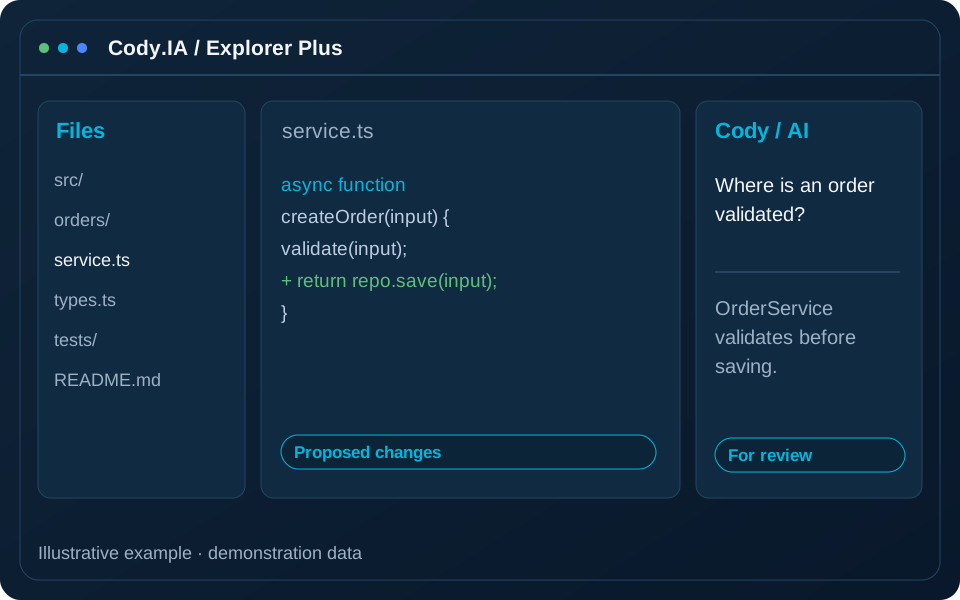
Explore the project and analyze a file or a folder with one click.
AI-guided context
The AI gathers what it needs to answer, instead of you hunting for it.
Semantic search
Find code by what it does, even if you do not know the exact name.
Proactive suggestions
Get observations about what you analyzed without having to ask.
Verifiable support
Support indicators show how much of an answer is grounded in the code.
Connected to your projects
Works on the same projects as Explorer and the rest of the modules.
Ideal for
Understand a module fast
Before fixing a defect or extending a feature, choose the relevant folder and inspect its file analysis. Use context instructions to focus the review, then check the answers against the source before changing it.
Verify with evidence
Review a focused part of the project to discuss concrete decisions with your team. File-level analysis helps explain responsibilities and dependencies; verify AI conclusions in the source and system tests.
Find the origin of a behavior
Start with the reported behaviour and ask which flow implements it. Answers help guide diagnosis and prepare a technical investigation; a suggestion is a lead to check, rather than a confirmed root cause.
Works with your project
Answers you can trust
Anchored to the code
Answers rely on the real code of your project.
Transparency
Support indicators show how much each answer relies on the code.
Your environment
It can run inside your infrastructure.
Frequently asked questions
Take the analysis to the detail
Let us try Explorer Plus on a folder of your system and see how it answers with evidence.